OODS Foundry: One Object, Every Screen
An object-oriented design system that builds screens from your product's objects and extends the design system you already have.
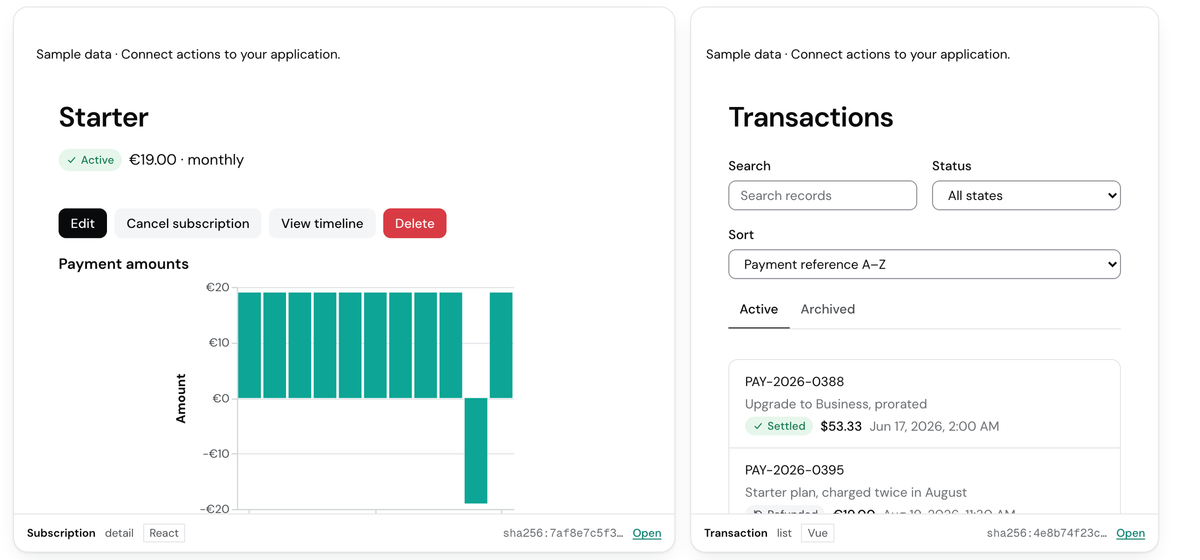
OODS Foundry is an object-oriented design system that an AI assistant drives over MCP. You name an object and a context, and it composes the screen from governed components and design tokens, generates React or Vue, and certifies the charts it draws. It's free under Apache 2.0 and in beta.
TL;DR
Challenge → Approach → Results
Challenge
Design systems standardized the component, but the product's own objects and rules never became reusable. Every screen that shows a subscription or an invoice rebuilds them, and now agents generate those screens too, which means more output for someone to review.
Approach
Make the object the unit of reuse. Objects and traits are defined once in YAML, screens are composed from them in seven contexts with governed components and tokens, and every generated screen comes back with a receipt of what was checked and what wasn't.
Results
A free MCP server and Claude Code plugin under Apache 2.0, with 114 governed components in React and Vue, team brands and component mapping, and schema import. It renders 13 chart types and certifies chart specifications on four pillars.
Outcomes
- One object, seven screen contexts
- A trait edit reaches every object that has the trait
- React and Vue output with validation receipts
- Team brands contrast-checked before they're written
- Chart certification on four pillars
Resources
Components converged. Objects didn’t.
Design systems spent a decade getting good at components, and most of them now ship a similar set of buttons, inputs, and tables. What they don’t describe is the product itself: the subscription, the invoice, the user, and the rules about what each one can do. Every screen that shows a subscription rebuilds that knowledge, and now agents are generating those screens too.
I’ve written about this gap in OODS Foundry: An Object-Oriented, Agent-Native Design System and Your Design System Wasn’t Built for AI. OODS Foundry is the working version of that argument. You describe the objects once, and the screens come from them.
Describe the object once
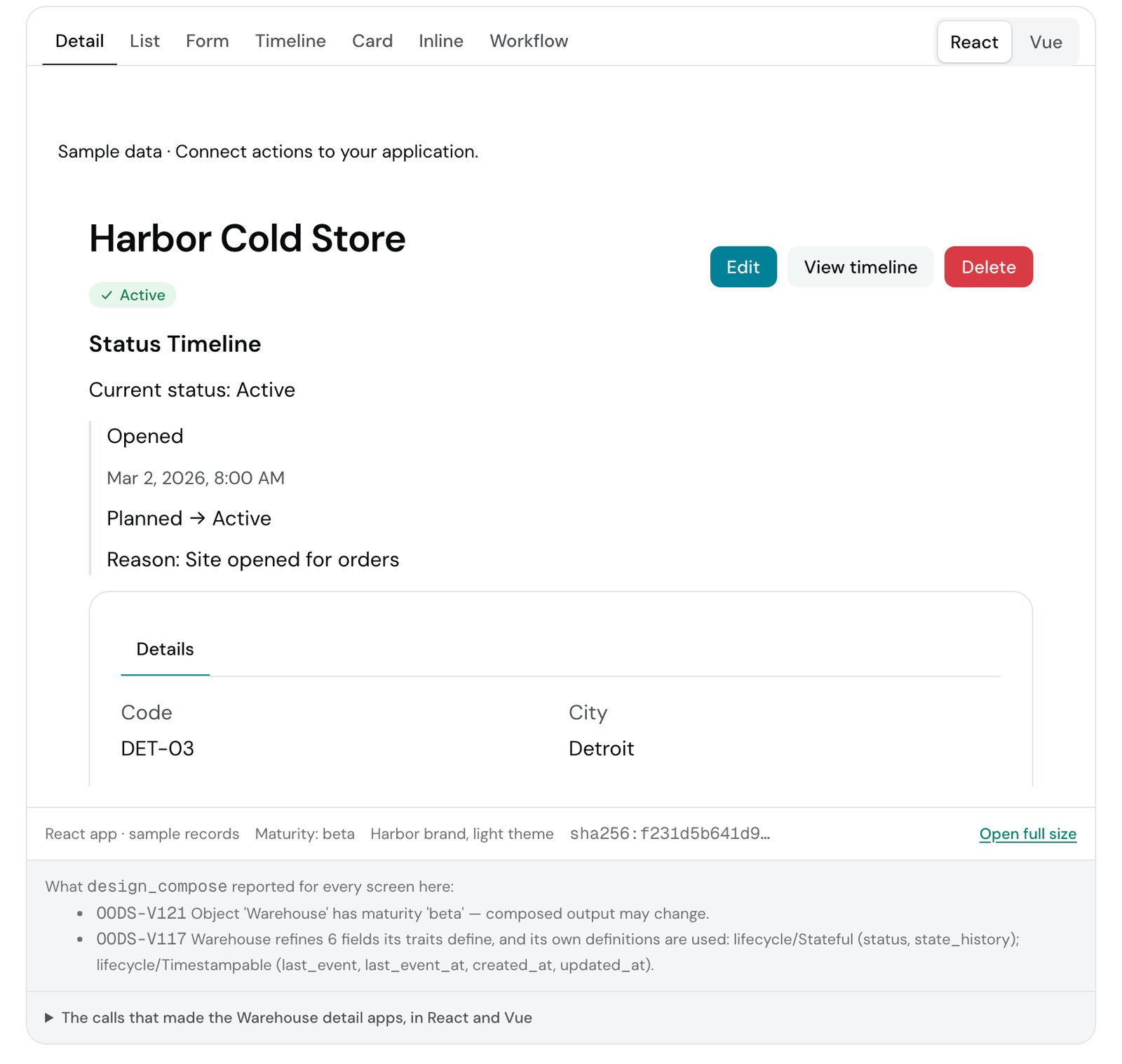
An object is a YAML file. It names the thing, the traits it shares with other objects, and its own fields. This excerpt is the quickstart’s Warehouse, which combines two shipped traits with one a team wrote itself:
object:
  name: Warehouse
  version: 1.0.0
  description: A storage site the team ships orders from.

traits:
  - name: lifecycle/Stateful
    parameters:
      states: [planned, active, closed]
      initialState: planned
  - name: lifecycle/Timestampable
    parameters:
      recordedEvents: [opened, restocked, closed]
  - name: Stockable   # the team's own trait
    parameters:
      capacityUnit: pallets
An assistant then asks for a screen by object and context:
design_compose {
  "object": "Warehouse",
  "context": "detail",
  "preferences": { "brand": "Harbor", "theme": "light" }
}
Composition is rule-based, with no language model inside, so the same inputs give the same bytes. A team can also draft objects from schema files it already has, such as OpenAPI, Prisma, or GraphQL, and review the proposed traits before accepting them.
One object, every screen
There are seven contexts: detail, list, form, timeline, card, inline, and workflow. The same Warehouse becomes each of them, in React or Vue.
Change a trait once
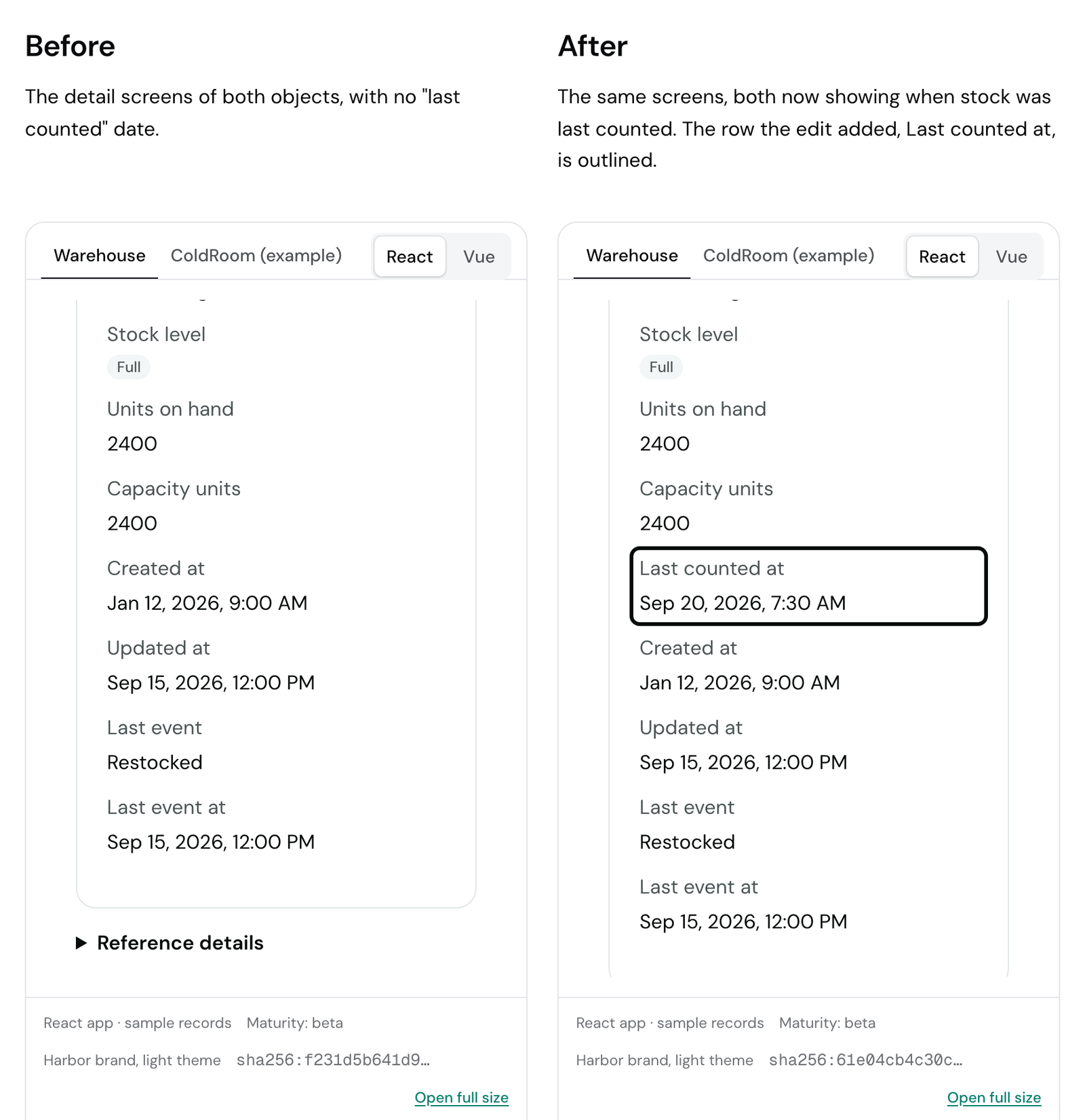
Traits are where the reuse pays off. Each one is defined once and shared, so an edit reaches every object that has the trait on the next build. Screens the edit doesn’t reach keep their exact bytes, which keeps the change easy to review.
Extend the system you already have
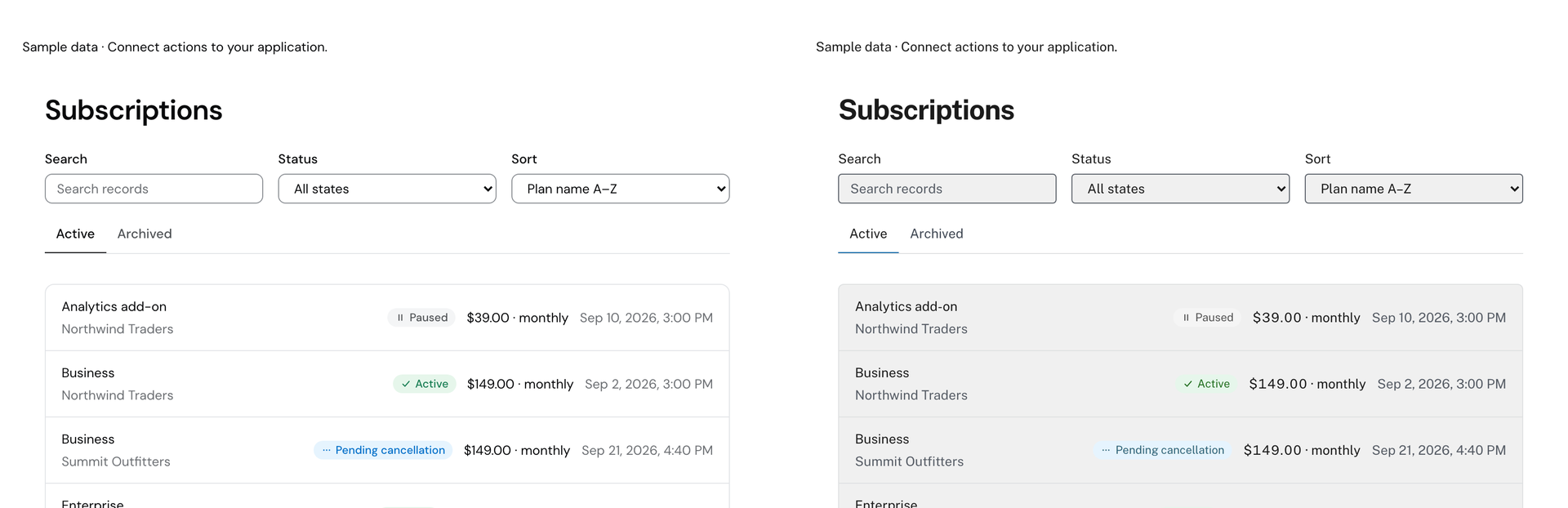
OODS Foundry doesn’t ask a team to throw out its design system. A team can make its own brand from its color values, and every text, icon, control border, and focus ring pair is contrast-checked in light, dark, and high contrast before the brand is written. A team can also swap a shipped component for its own React or Vue component, or start from shadcn/ui adapters, and mix those with the shipped components on one screen.
Receipts, not promises
Generation makes more work to review, so OODS Foundry reports on its own output. Every generated screen comes back with a validation receipt that names the static checks that ran and lists what wasn’t checked, such as rendering, interaction, and accessibility.
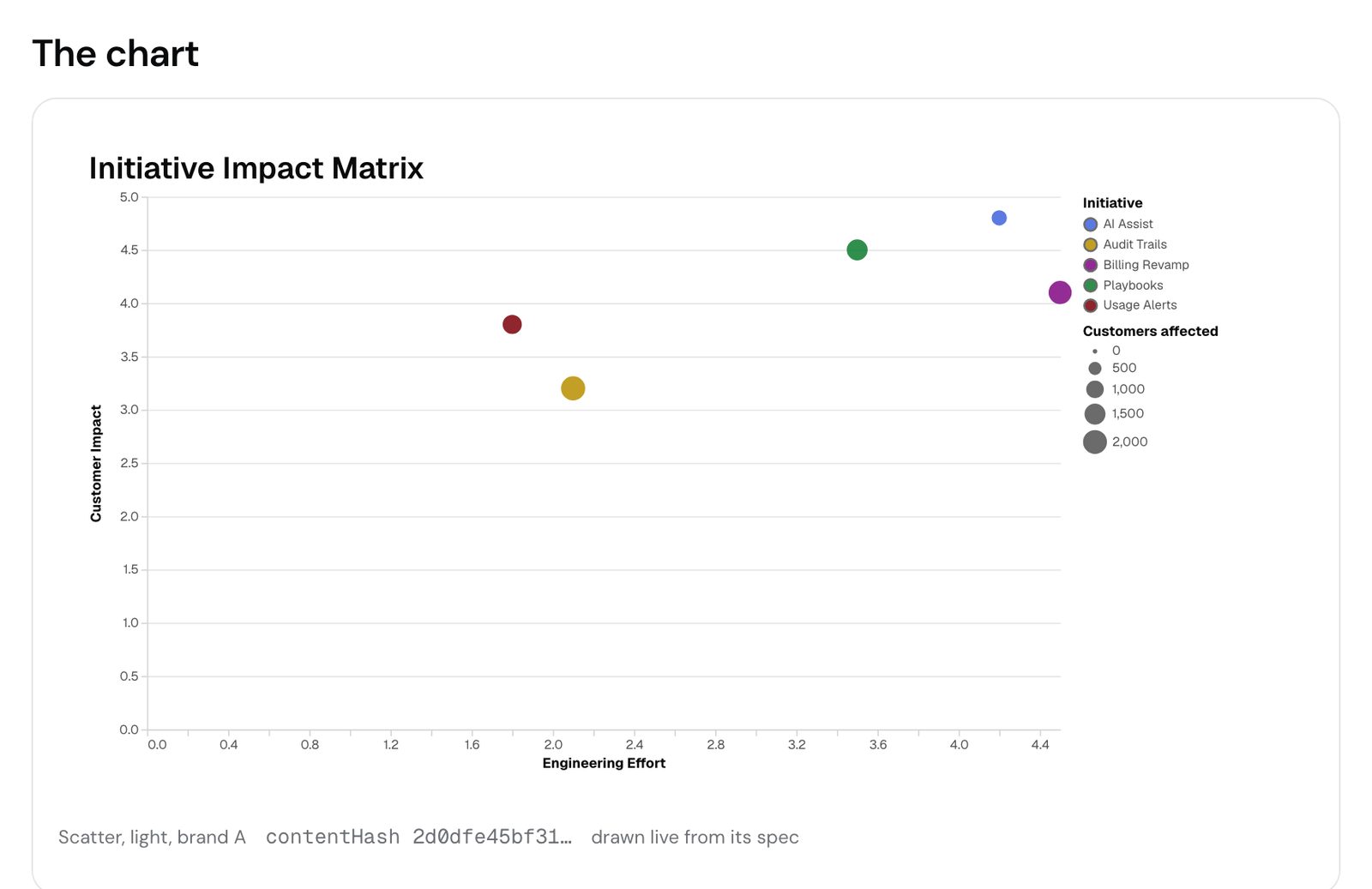
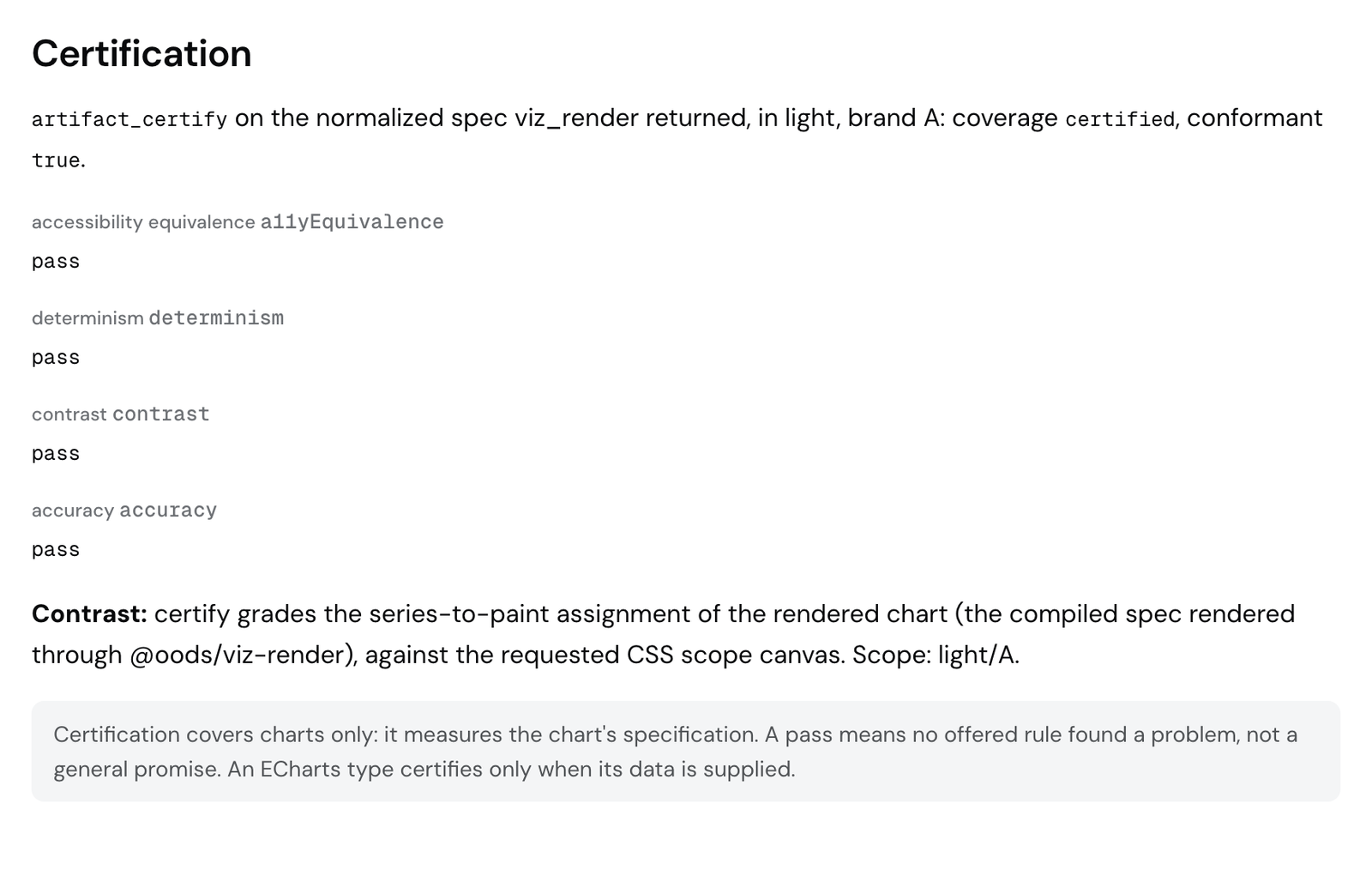
Charts go further. OODS Foundry renders 13 chart types from your data and certifies chart specifications on four pillars: accessibility equivalence, determinism, contrast, and accuracy. A pass is a measurement, not a promise, and certification covers charts only.
How it runs
It installs with one command, npx -y @oods/foundry, and runs on your machine as a local MCP server for Claude Desktop, Claude Code, or Cursor. It also installs as a Claude Code plugin, and a free, read-only hosted connector in Claude can read the registry, find recorded screens, and draw and certify charts. Nothing needs an account.
What’s still beta
OODS Foundry is in beta. Of the shipped business objects, only User is marked stable, and composed output for the others may still change. It runs on macOS and Linux, and a team can’t yet write rules that span objects, such as a quote that can’t include a discontinued part.
The component layer isn’t going away. OODS Foundry is my bet on the layer above it: the objects a product is made of, described once, with every screen built from them.